Pipelines for recurring work
Glue code everywhere
Weekly quality checks, cost reports and data clean-up usually live in notebooks and one-off scripts that break when the person who wrote them is away.
Repeatable steps on your data
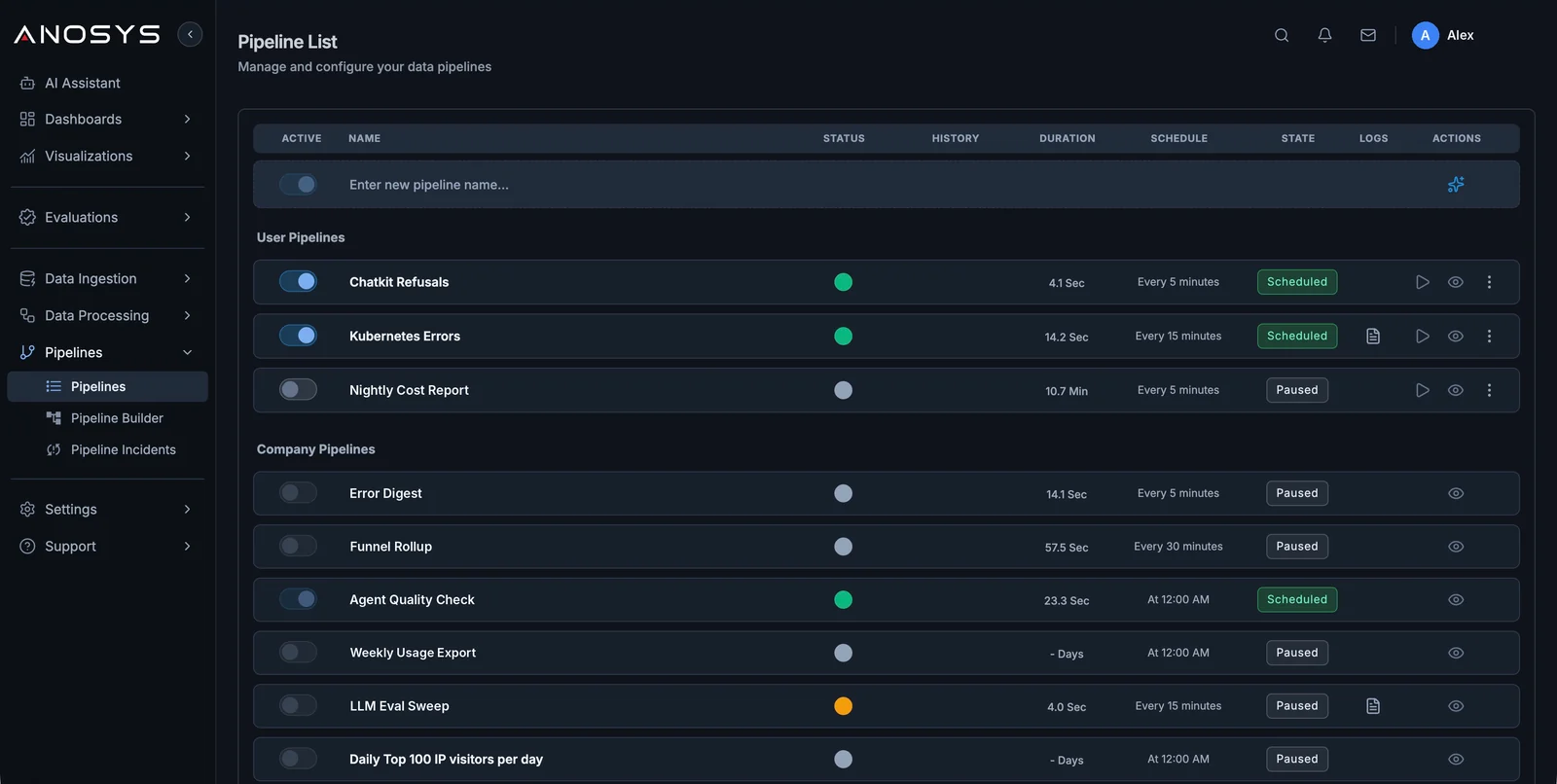
Pipelines run on a schedule inside Anosys, read and write the same data as your dashboards, and can hand results to alerts or the AI Assistant.
Chain the steps, set the schedule, write results back as new fields or tables, and alert on what matters.
Select
Pick the traces, events, process units, evals, dashboards, or datasets the pipeline should operate on.
Enrich
Add ownership, customer, workflow, cost, policy, release, or business context before analysis.
Evaluate
Run scheduled checks, summaries, scoring, anomaly detection, and custom transformations.
Automate
Create alerts, reports, tickets, exports, or handoffs when the pipeline finds something important.
What teams can do
- Schedule recurring pipelines for quality, cost, reliability, and safety checks
- Hydrate events with customer, workflow, infrastructure, and business context
- Trigger alerts, reports, webhooks, or remediation workflows
- Reuse process units for extraction, RCA, anomaly detection, and evaluation
Build from here
Do pipelines require proprietary agents?
No. Anosys can ingest through OpenTelemetry, REST APIs, SDKs, JavaScript, pixels, and cloud storage.
Can pipelines run on a schedule?
Yes. Pipelines can run on recurring schedules and maintain history, status, logs, and actions.